Seven Signs Your Irish Business Website Needs A Redesign
Diagnose whether your website needs targeted repairs, a visual refresh or a full redesign using seven observable business and technical warning signs.
 Ben DunleaFounder, Hatch
Your website probably needs a full redesign when several connected systems no longer support the business: customers cannot complete important tasks, the structure reflects an old offer, leads are falling or unmeasured, and the platform makes every improvement difficult. One ugly section or one slow image usually calls for a repair—not a rebuild.
1. Important mobile tasks are difficult
Open the site on an ordinary phone and try the jobs that generate business: understand the offer, compare a service, call, request a quote, book or find the premises. Warning signs include unreadable content, overlapping elements, tiny controls, intrusive overlays, unstable layouts and forms that lose entered data.
Do not diagnose from a desktop mock-up resized in a browser. Test on real devices and connections with people unfamiliar with the site. Record whether each task can be completed, where hesitation occurs and whether errors explain how to recover.
A localised form or navigation defect may be repairable. A redesign becomes more likely when every template assumes a desktop layout and fixes create new breakage.
2. The site describes the business you used to be
Services, customers and commercial priorities change. If the navigation still gives equal weight to retired offers, important services are buried, or the homepage cannot explain the present positioning, the issue is structural rather than cosmetic.
Map the current website against the actual sales conversation:
| Question | Evidence to collect |
|---|---|
| What do we most want to sell? | Revenue, margin, capacity and strategy |
| What do suitable customers ask? | Calls, emails, search queries and proposals |
| What proof helps them decide? | Approved cases, reviews, credentials and process |
| Where does the site answer it? | Page inventory and navigation paths |
If several priority decisions have no coherent destination, a new information architecture may be justified.
3. Enquiries have weakened—and nobody can explain why
A fall in leads is a signal to investigate, not automatic proof that the design is at fault. Check analytics configuration, Search Console, campaign changes, seasonality, lead handling and market demand before blaming the interface.
The redesign warning is the combination of weak results and poor diagnosis: forms are not tracked or delivered reliably, phone actions are invisible, thank-you pages are missing, and no one can connect landing pages to qualified enquiries.
Before changing the site, record a baseline of traffic, landing pages, form/call actions, qualified leads and conversion rates. Otherwise the new site may look better while the business loses the ability to learn.
4. The experience is consistently slow or unstable
Google’s Core Web Vitals guidance measures real-user loading performance, responsiveness and visual stability through LCP, INP and CLS. These metrics are useful diagnostics, not a complete redesign score or ranking guarantee.
Test important templates with field data where available and lab tools for diagnosis. Look for oversized media, excessive third-party scripts, layout shifts, slow hosting, duplicated libraries and page-builder output.
If the platform and templates are sound, optimise the cause. If performance problems are embedded in an unsupported theme, unmaintainable plug-in stack and fragile layout system, replacement may be cheaper than repeated fixes.
5. Navigation and forms exclude customers
Keyboard-only navigation, visible focus, heading structure, labels, error messages, contrast, zoom and screen-reader meaning are core usability concerns. W3C’s WCAG 2.2 provides testable accessibility criteria; an automated score alone cannot establish conformance.
Try the primary journey without a mouse. Ensure focus does not disappear, menus can be opened and closed, form fields have meaningful labels, errors are announced and completion does not depend on colour or precise gestures.
Repair isolated defects immediately. Consider redesign when inaccessible patterns are repeated across the component system and the current code makes correction unreliable.
6. The technology is unsupported or unsafe to maintain
A site that depends on abandoned software, an unpatchable runtime, unknown administrator accounts or a plug-in combination that breaks on update carries operational risk. Irish NCSC guidance for SMEs emphasises supported, patched systems and recoverable backups.
Inventory the platform, theme, plug-ins, integrations, hosting, DNS, certificates, administrator access, update responsibilities and restore process. Test a backup restoration rather than assuming a green “backup complete” message is enough.
Urgent security remediation should not wait for a branding project. Stabilise the risk, then decide whether a controlled replatform is the sustainable answer.
7. Publishing a simple change is disproportionately hard
The website is an operating tool. If updating a service, staff member, case study, price factor or public-holiday hours requires a developer and several risky workarounds, important information will drift.
Watch for duplicated content across templates, unexplained formatting, no preview workflow, unclear permissions, inaccessible media fields and editors afraid to publish. A better redesign brief specifies content models, roles, preview, rollback and training—not merely “easy CMS”.
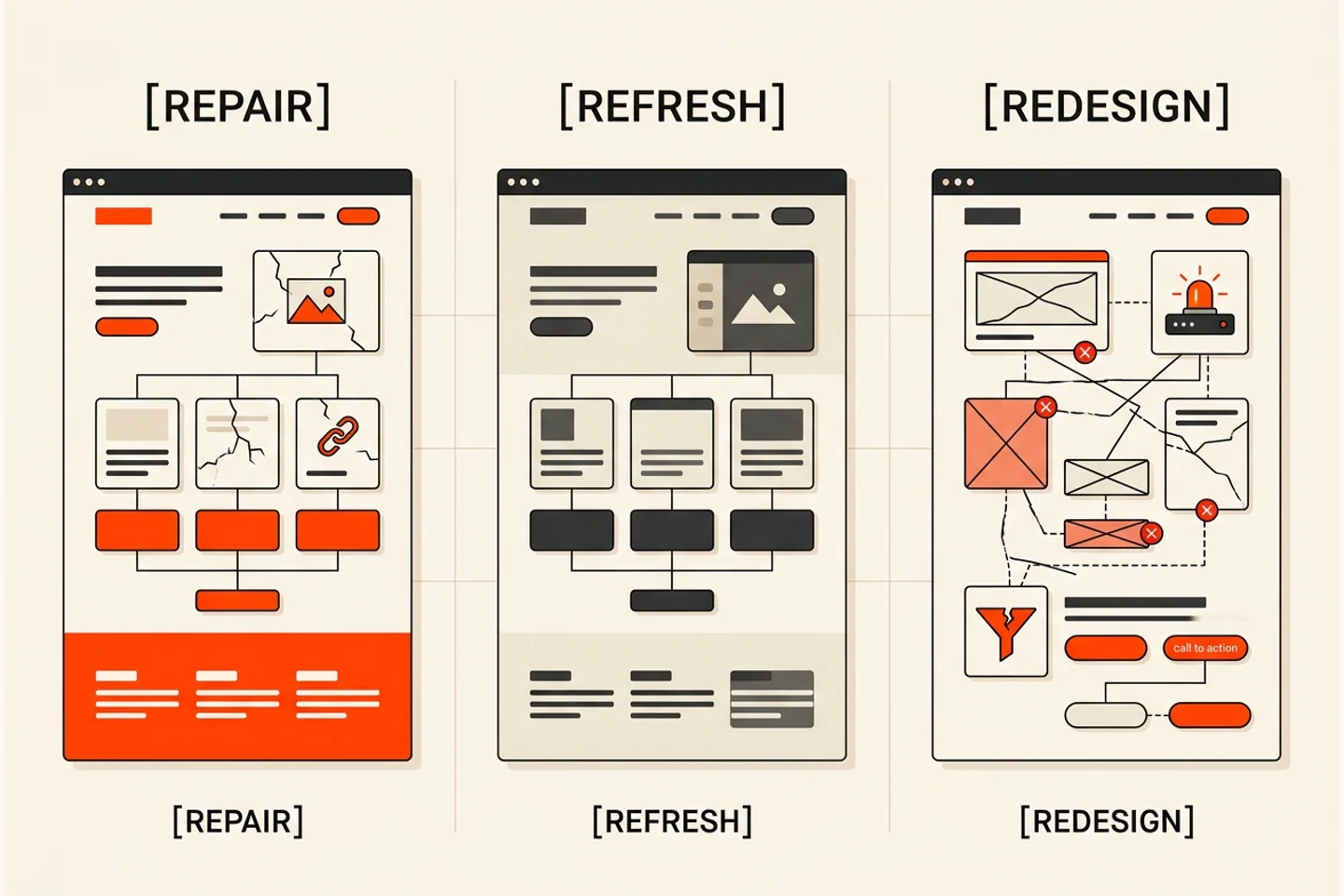
Repair, refresh or redesign?
| Route | Choose it when | Typical scope |
|---|---|---|
| Repair | One or two bounded defects; foundations remain sound | Performance, form, tracking or accessibility fixes |
| Refresh | Architecture/content/technology work; presentation is dated | Visual system and component refinement with stable URLs |
| Redesign | Several interconnected failures block strategy and delivery | Research, architecture, content, templates, migration and measurement |
Override the model when one issue is critical, such as a compromised platform or inaccessible primary service. Otherwise, do not turn preferences into a costly rebuild.
Build the evidence pack before requesting quotes
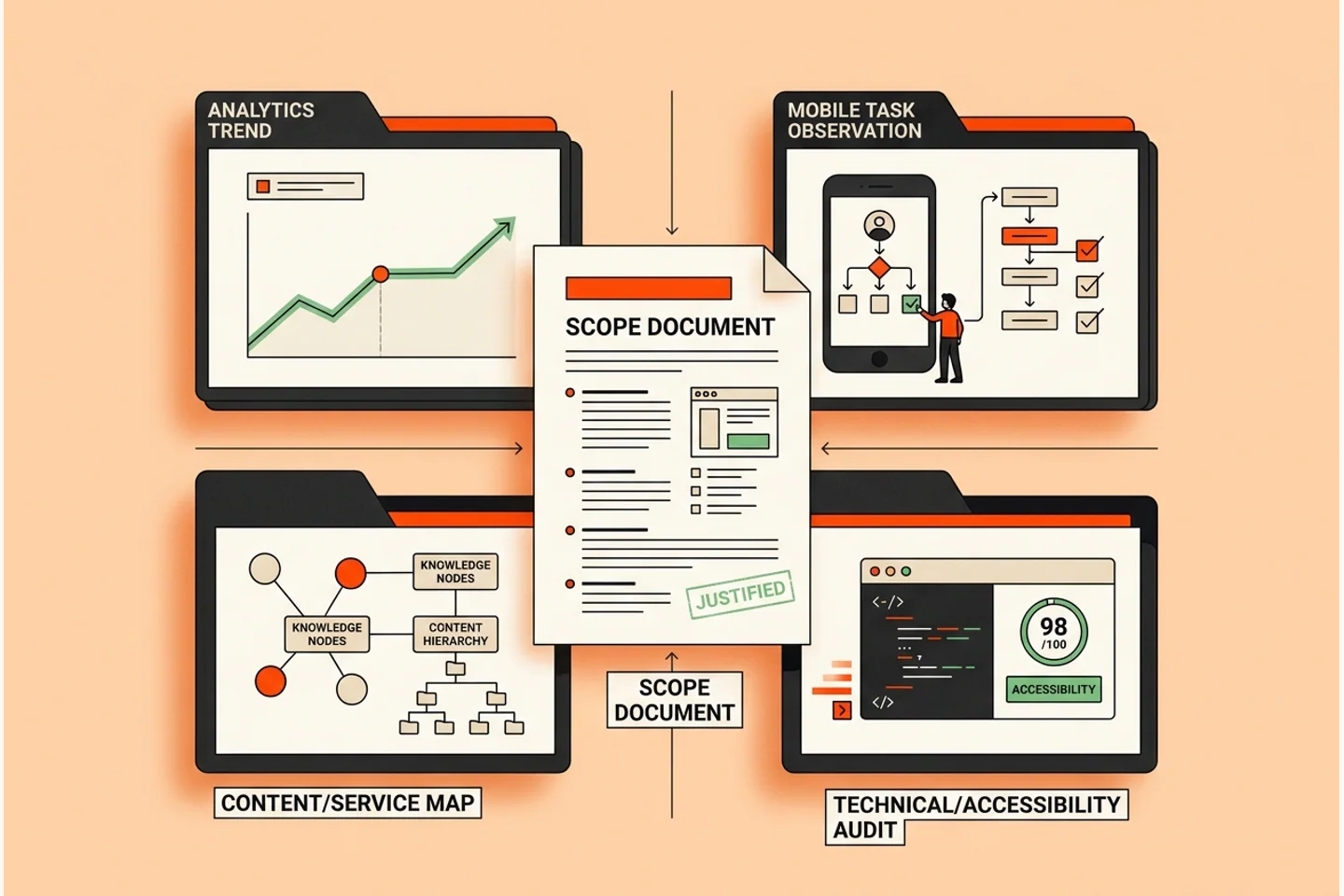
Collect four inputs:
- Performance baseline: traffic, landing pages, queries, leads and revenue contribution.
- Customer tasks: five important tasks tested on mobile and keyboard.
- Content inventory: every URL, its purpose, value, owner and decision to keep/improve/merge/remove.
- Technical review: platform support, accessibility, performance, security, integrations and editorial workflow.
If the evidence supports a rebuild, use the complete website redesign guide to plan scope, costs, URL migration and launch. Compare likely investment in the website cost guide.
What to do next
Choose the worst of the seven signs and run one evidence-backed test this week. If the issue is isolated, repair it. If three or more systems are failing together, prepare a redesign brief before asking suppliers for visual concepts.
Hatch’s web design service focuses on content, conversion and migration as one project. Book a redesign review to decide what should change—and what should not.
Common questions
Frequently Asked Questions
How often should a business website be redesigned?
There is no reliable fixed schedule. Redesign when interconnected problems in positioning, architecture, technology, accessibility, conversion or measurement cannot be solved efficiently through targeted improvements. Age or visual taste alone is not enough.
Does a slow website always need a redesign?
No. Image optimisation, script reduction, hosting or template fixes may solve a bounded performance problem. A redesign becomes more plausible when slowness is tied to an inflexible platform, fragile templates and several other structural failures.
Should falling traffic trigger an immediate redesign?
No. Diagnose demand, tracking, search visibility, competitors, seasonality and technical issues first. A redesign without a baseline can hide the cause and introduce migration risk.
Can I refresh the design without changing the website structure?
Yes, when services, content architecture, technology and conversion paths remain sound. Preserve working URLs and content while improving visual hierarchy, components and usability.
How do I know whether to repair or redesign?
Repair isolated defects on sound foundations; refresh a sound site whose presentation is dated; redesign when multiple connected systems no longer support the business. Use analytics, customer tasks, content inventory and technical review rather than opinion alone.
Want Us To Look At Your Version?
Show us what is not working and we’ll give you a straight answer.
Founder of Hatch. Writing practical, jargon-free advice for businesses that want to get found and turn attention into enquiries.